PageSpeed 100/100 in WordPress with Spark Speed, measured
A PageSpeed score of 100 on mobile is hard, but with Spark Speed you do not have to tinker for days. In our lab an article page scored 100 in five out of five runs on mobile and desktop, with only the detected preset and its own optimizer. On this site itself Google measures 100 on desktop. Below are the measurements with screenshots, the steps, and what to do when a page stays just below 100. A score is a target, not a guarantee: your images, embeds and hosting count too.
By Kevin, founder of SparkCore · 12 years of WordPress experience · We make Spark Speed and the other SparkCore plugins ourselves
In short
Article page: 100 in 5 out of 5 runs on mobile and desktop in our lab
All 25 desktop runs across five pages: 100
Live on sparkcore.io with PageSpeed Insights: 100 on desktop on all four pages, 94 to 98 on mobile
No manual work: preset plus Optimize my site
Heavy page with photos and embeds: 96 on mobile, that needs image work
What 100/100 does and does not mean
The PageSpeed score is a lab measurement: Lighthouse loads your page in a simulated environment and weighs five metrics (LCP 25%, TBT 30%, CLS 25%, FCP 10%, Speed Index 10%). Google calls 90 to 100 a good score; the final point is exceptionally hard. Mobile is tested with a slow CPU and network, so mobile almost always scores lower than desktop. The score is no ranking guarantee: what matters for users are the Core Web Vitals from real visits (LCP, INP and CLS, over 28 days).
Measured: 100/100 with only the preset and the optimizer
In our lab Spark Speed got no manual work: install, apply the detected preset and press Optimize my site. The knowledge article then scored 100 in five out of five mobile runs, and all 25 desktop runs across five pages scored 100. The heavy page with twelve large photos, YouTube and Google Maps stayed at 96 on mobile; that needs image and embed work, not another plugin switch.
Page
Mobile (median)
Mobile LCP
Range over 5 runs
Desktop (median)
Desktop LCP
Homepage
98
2.04 s
98
100
0.50 s
Product page
98
2.04 s
98 - 100
100
0.50 s
Article
100
1.67 s
100
100
0.45 s
Pricing
98
2.04 s
98 - 100
100
0.52 s
Heavy page with photos and embeds
96
2.57 s
96
100
0.76 s
Lab measurement by SparkCore, the maker of Spark Speed, October 2026: Spark Speed 0.73.1 with only the detected preset and its own optimizer, on a copy of a real Breakdance site without WooCommerce. Local Lighthouse 12.8.2 through a controlled HTTPS tunnel, five runs per page and profile, median. Not a Google-hosted measurement and not field data. The cookie banner was hidden during Lighthouse by the banner library's bot setting.
Checked on the live site with PageSpeed Insights
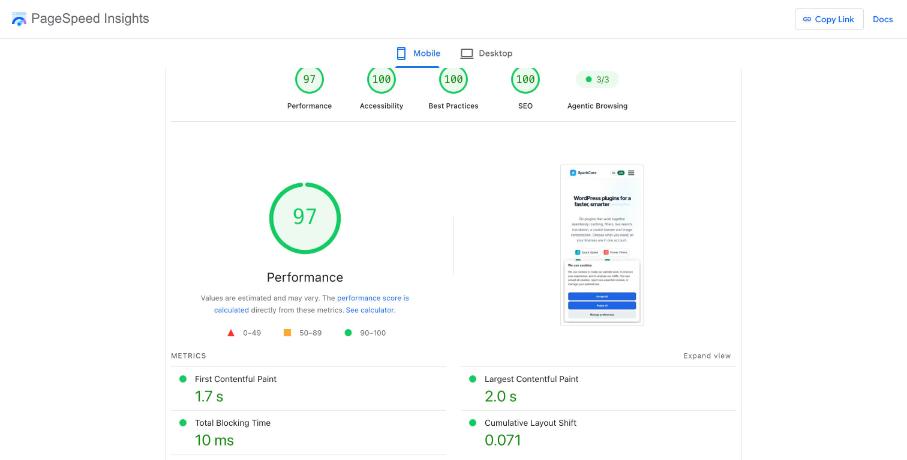
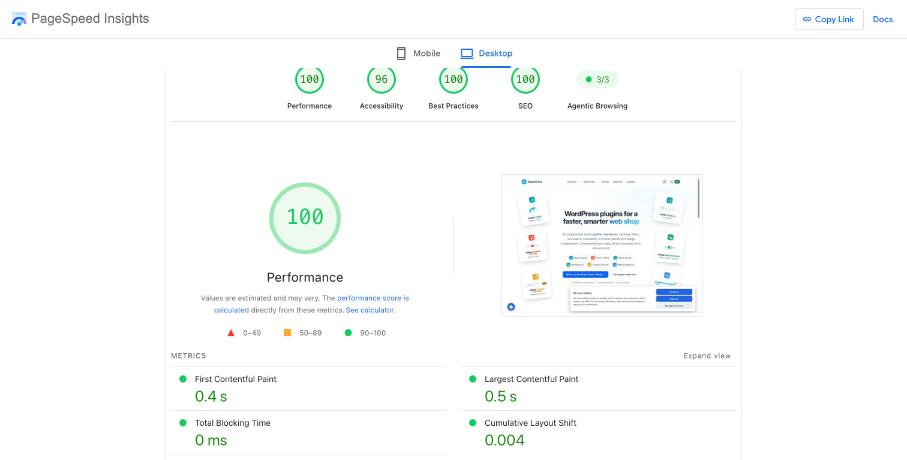
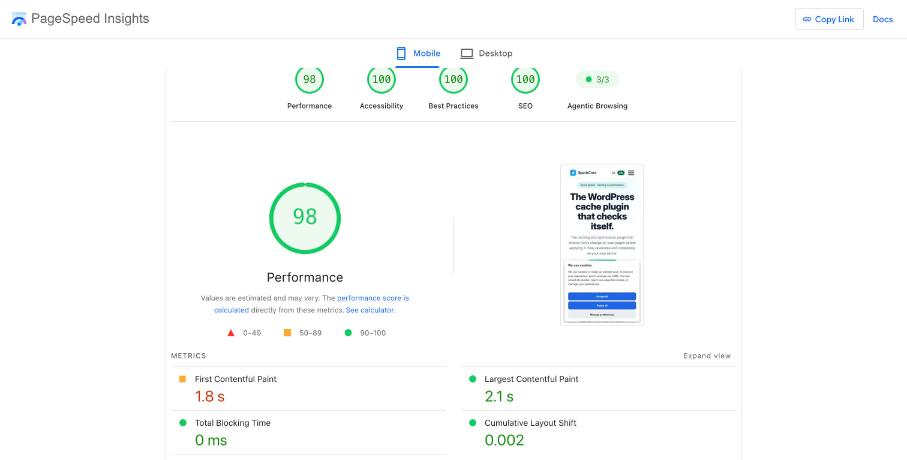
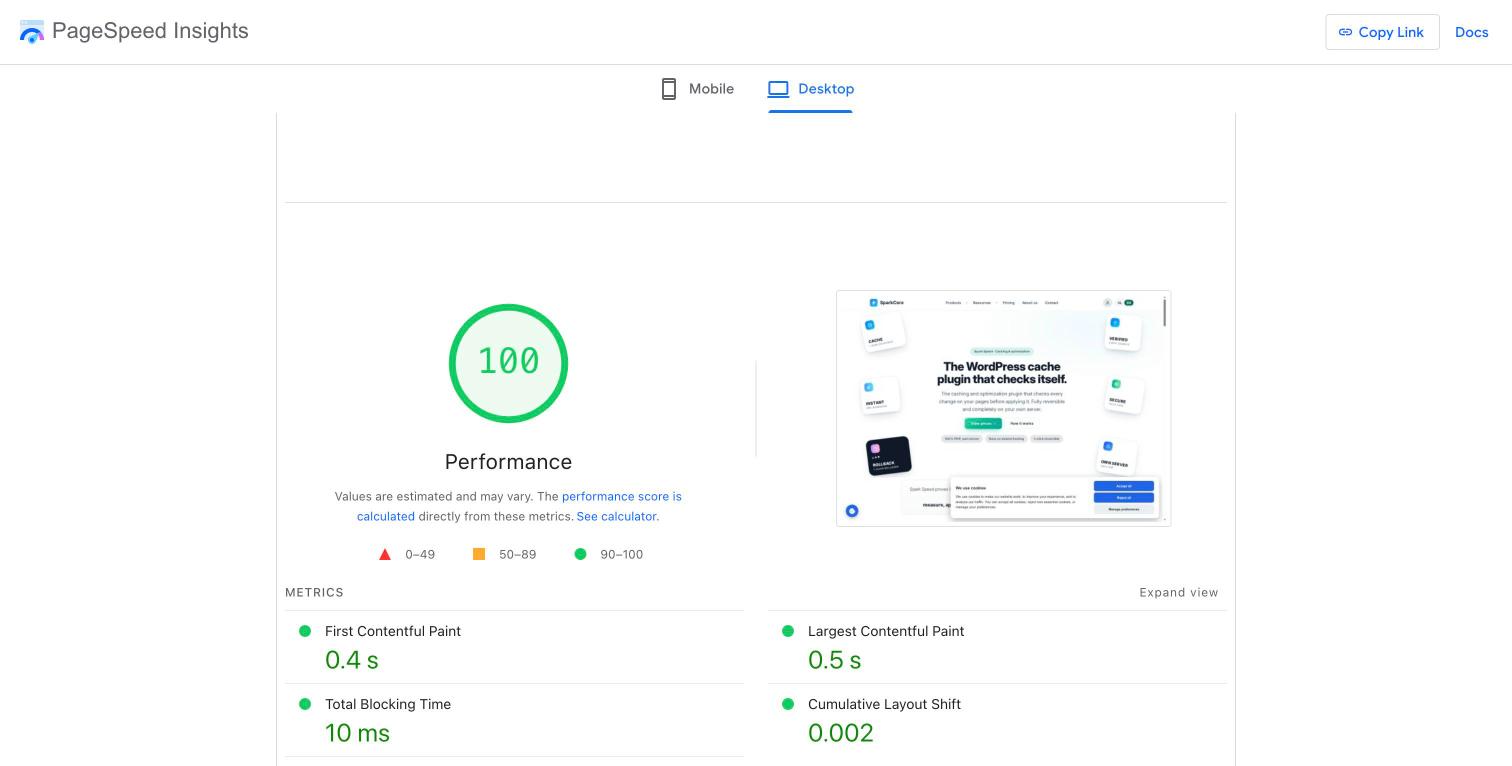
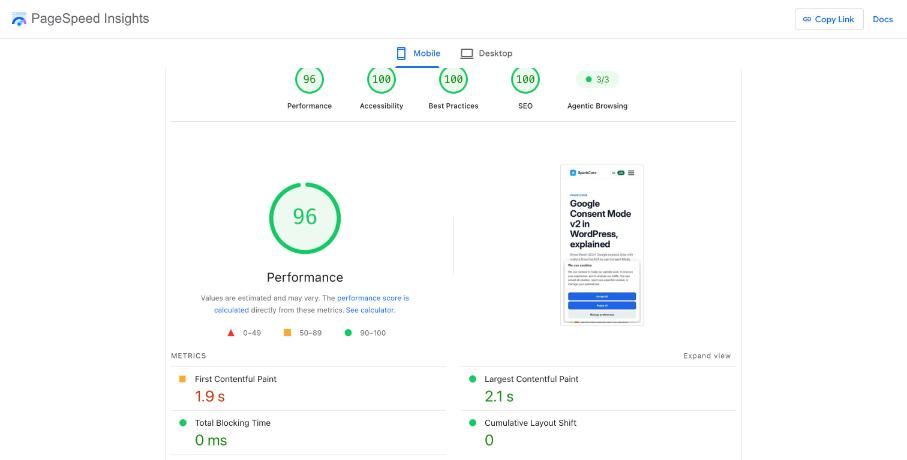
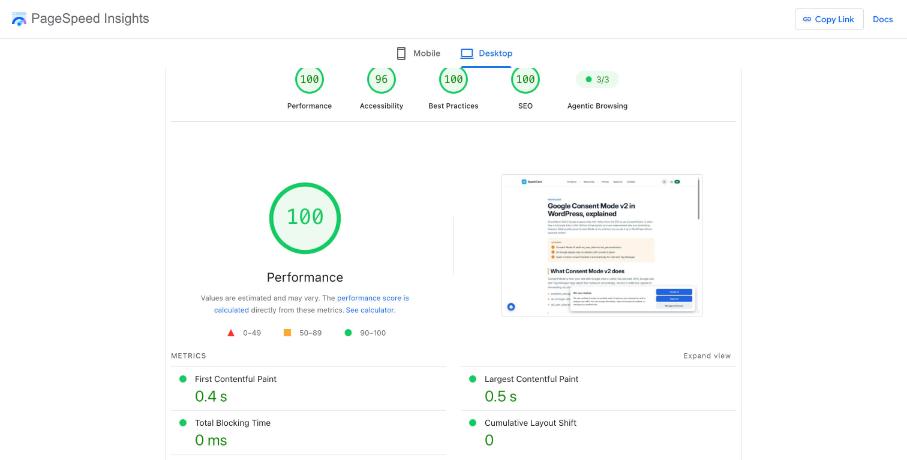
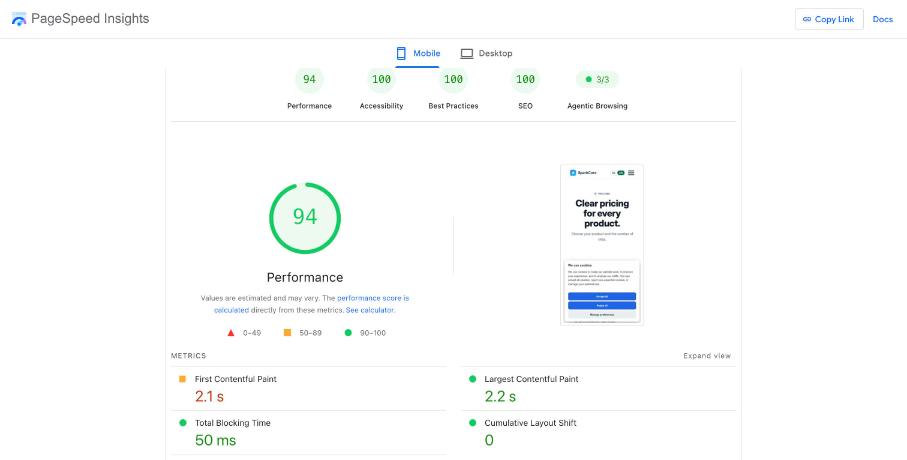
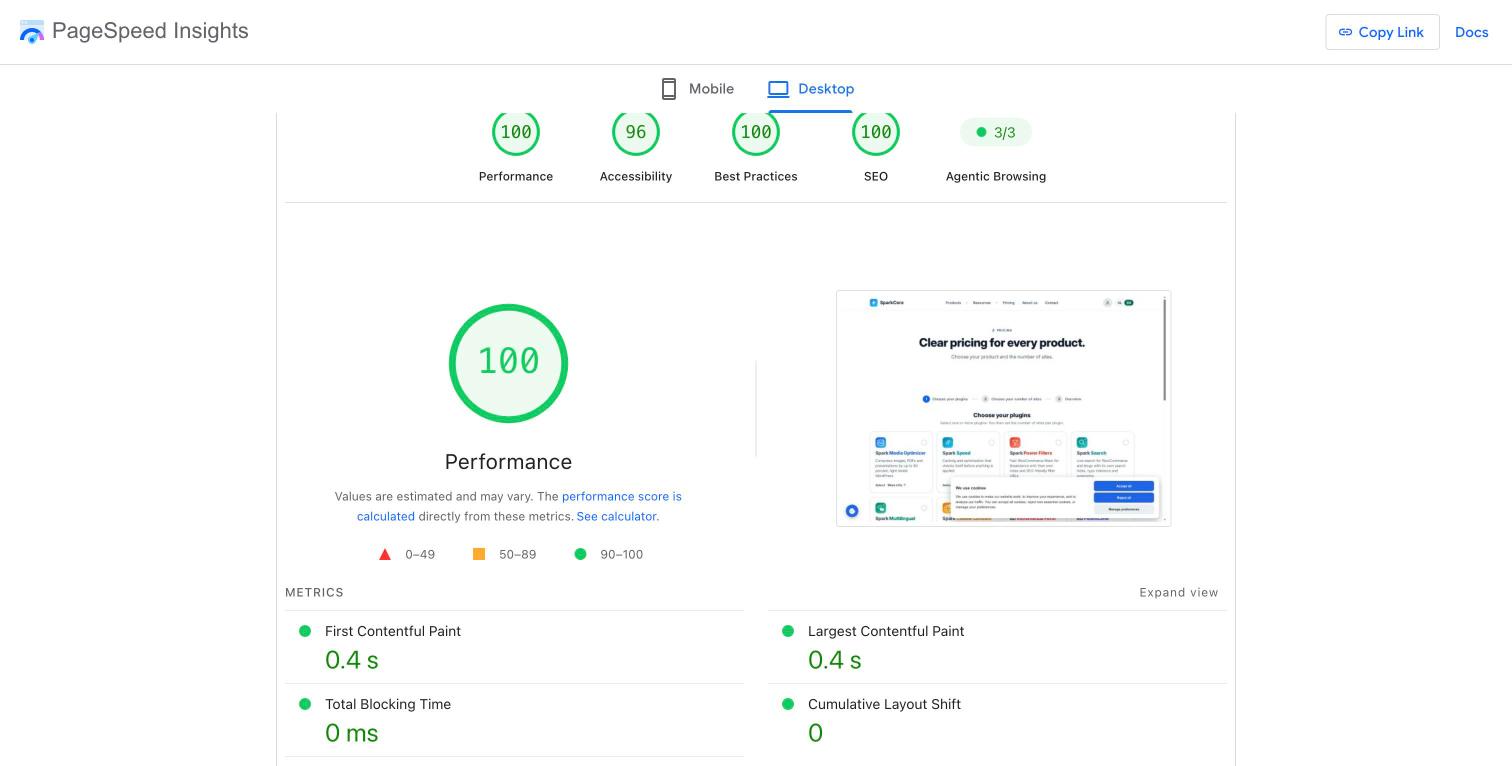
Lab numbers are reproducible, but Google measures differently: from its own servers, with the newest Lighthouse. That is why we measured the same kind of pages on sparkcore.io itself with PageSpeed Insights, after the update to Spark Speed 0.73.2. Desktop: 100 on all four pages. Mobile: 94 to 98, with the cookie banner visible and on ordinary shared hosting. Click a screenshot for the full report at Google.
Measured with Google's PageSpeed Insights (Lighthouse 13.5.0) on the live site sparkcore.io, 10 October 2026, Spark Speed 0.73.2. A single run per page and profile, except the pricing page on mobile: it first gave 91 and 94 on the second run; the table shows the second run with its report. Scores vary by a few points between runs. Regular shared Hostinger hosting, no CDN plan. The cookie banner was visible during these measurements.
Work on a test copy with a backup first. After that it is a few steps in Spark Speed; the plugin tests risky optimizations on your own pages before they stay on.
Install Spark Speed and activate your licence
Apply the detected preset (Breakdance, WooCommerce and other builders are recognised)
Press Optimize my site and let the check on your own pages finish
Wait until the cache is warm and the fonts are local, and only then measure
Measure mobile and desktop separately, five times per page, and look at the median
Check the menu, forms, cookie choices and cart by hand on your phone
Not 100? How to find the cause
Look at which metric costs points; that decides the next step. Spark Speed solves caching and load order; images, embeds and hosting are sometimes different work.
LCP too high: is the main image light enough and loaded early? No cache plugin fixes an oversized photo.
CLS above 0.1: find the element that shifts (often a font, banner or slider) and reserve space for it.
High TBT: which scripts run during load? Let Spark Speed delay them and test that everything keeps working.
Slow server response: check that the page comes from the cache (header x-spark-speed-cache: HIT).
YouTube or Google Maps above the fold: use a preview image that only loads on click.
Honest about cookie banners and measuring
Many cookie banners hide themselves from automated browsers. That happened in our lab too: there Lighthouse did not see the banner. In the live measurements on sparkcore.io the banner was visible, as the screenshots show. So also test with a visible banner and keep the real consent experience for your visitors intact; a higher score from hiding content from measuring bots is not a real gain.
Always measure mobile and desktop separately and compare medians of five runs, not a single lucky run.
Spark Speed tests every risky optimization on your own pages first.
No. Spark Speed handles caching and load order, but heavy images, embeds above the fold and slow hosting also cost points. In our lab an article page reached 100, a heavy photo page 96 on mobile.
PageSpeed tests mobile with a simulated slow CPU and connection. The same page therefore almost always loads faster on desktop and scores higher.
Google uses Core Web Vitals from real visits as one of many signals. A lab score of 100 is no guarantee of a higher position, but a fast page helps your visitors.