Spark Speed on a Breakdance site
Spark Speed is built with Breakdance sites as an important target. This guide explains what Spark Speed does for Breakdance automatically, when you do not need to do anything after a change in the builder and when you had better clear the cache yourself. Everything was checked on a test site with Breakdance 3.0 beta and WooCommerce.
In short
- Breakdance is recognised on activation; the preset prepares suitable exclusions
- Saving a page in the builder refreshes that page in the cache
- Templates, headers, footers, global blocks and popups refresh the whole page cache
- After changing the global Breakdance settings, it is best to clear the cache yourself
Detection and preset
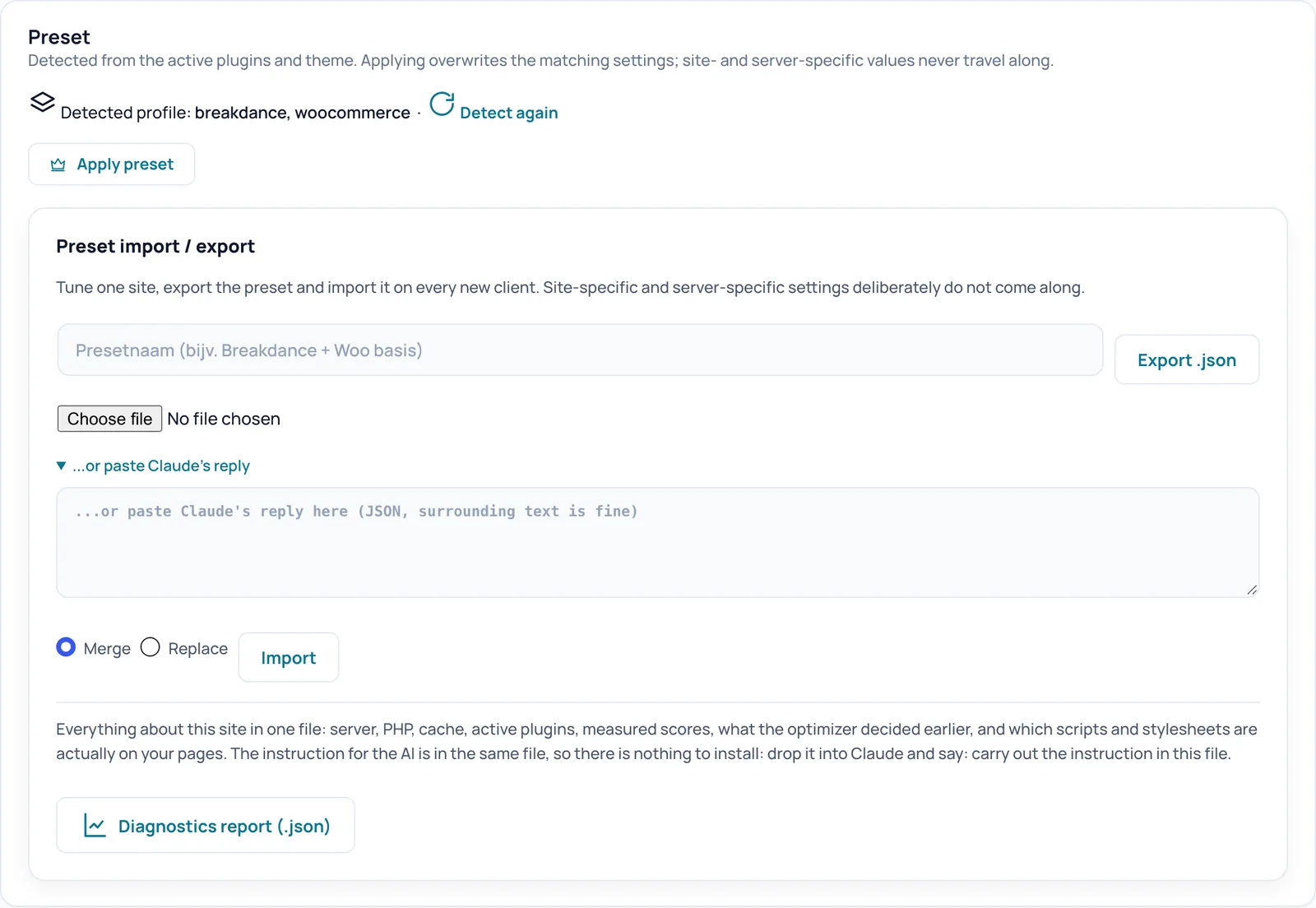
On activation Spark Speed checks which plugins and theme are active. On the test site the Overview then showed: Profile: breakdance, woocommerce. The Breakdance preset prepares exclusions among other things, so the mobile menu and other interactive parts keep working. You find the detection under Settings, Preset; Detect again makes Spark Speed look again, for example after you added WooCommerce.
After saving in the builder
When you save a page or post in Breakdance, Spark Speed refreshes that page in the cache. On the test site the home page showed the changed heading on the very next visit, without clearing the cache by hand; after that the new version was stored and served from the cache again. When you save a template, header, footer, global block or popup, Spark Speed empties the whole page cache, because such a part appears on many pages. Menu changes and switching themes also empty the whole cache.
When to clear the cache yourself
For changes to the global Breakdance settings (such as colours, fonts or button styles) we found no automatic refresh in the code of version 0.73.2. After such a change, click Clear cache at the top of Spark Speed, or use the arrow next to it for the other clear options.
What Spark Speed does with Breakdance CSS
Breakdance writes its CSS to separate files and rebuilds them after plugin or theme changes. While such a stylesheet is missing or still empty, Spark Speed does not store the page, so visitors never get a bare page without styling from the cache. We saw that right after installation on the test site: the reason in the header was that a stylesheet was being rebuilt at that moment. A little later the page was stored as normal.
Check it yourself
When you work logged in to the builder, you never see the cached version. So check in a private window. To see the cache status of a page, open your browser's network tab or use a normal GET request; note that a HEAD request (such as curl -I) has no body and is therefore reported as too short.
- No x-spark-speed headers: the page came straight from the cache through Apache
- x-spark-speed-cache: STORE: the page was just stored
- x-spark-speed-cache: MISS with x-spark-speed-reason: the page did not come from the cache, with the reason
- Check the mobile menu on your phone: open, submenu, close
Unsure about a step? Revert, check your site and ask us through the contact page.
No Spark Speed yet? See what it does and what it costs.
Frequently asked questions
Usually not: detection and the preset happen on activation. Then start the first optimization.
No. Logged-in administrators never get the cached version, so neither do the editor and preview.
Look in a private window. If it is a global setting, click Clear cache. If you still do not see it, see Troubleshooting.