Driving Spark Speed through MCP (for agencies)
If you manage many sites, since version 0.73.2 you can also drive Spark Speed from an AI assistant through MCP (Model Context Protocol), for example from Claude or ChatGPT. This is an extra for agencies, not a requirement: everything can also be done from the dashboard. Everything in this guide was tested on our test site with a temporary key.
In short
- Needs a valid licence and an authorized connection
- Changes need a reason, can be tried as a dry run first and can be reverted through MCP
- Starting an optimization round is possible, but the browser check needs an open dashboard
- A connected AI service sees the data it requests
Where to find it
The connection is on the Optimization tab, card Connect Claude or ChatGPT (MCP). There is no separate on/off switch: with a valid licence the connection is available, but nothing happens until you authorize a client.
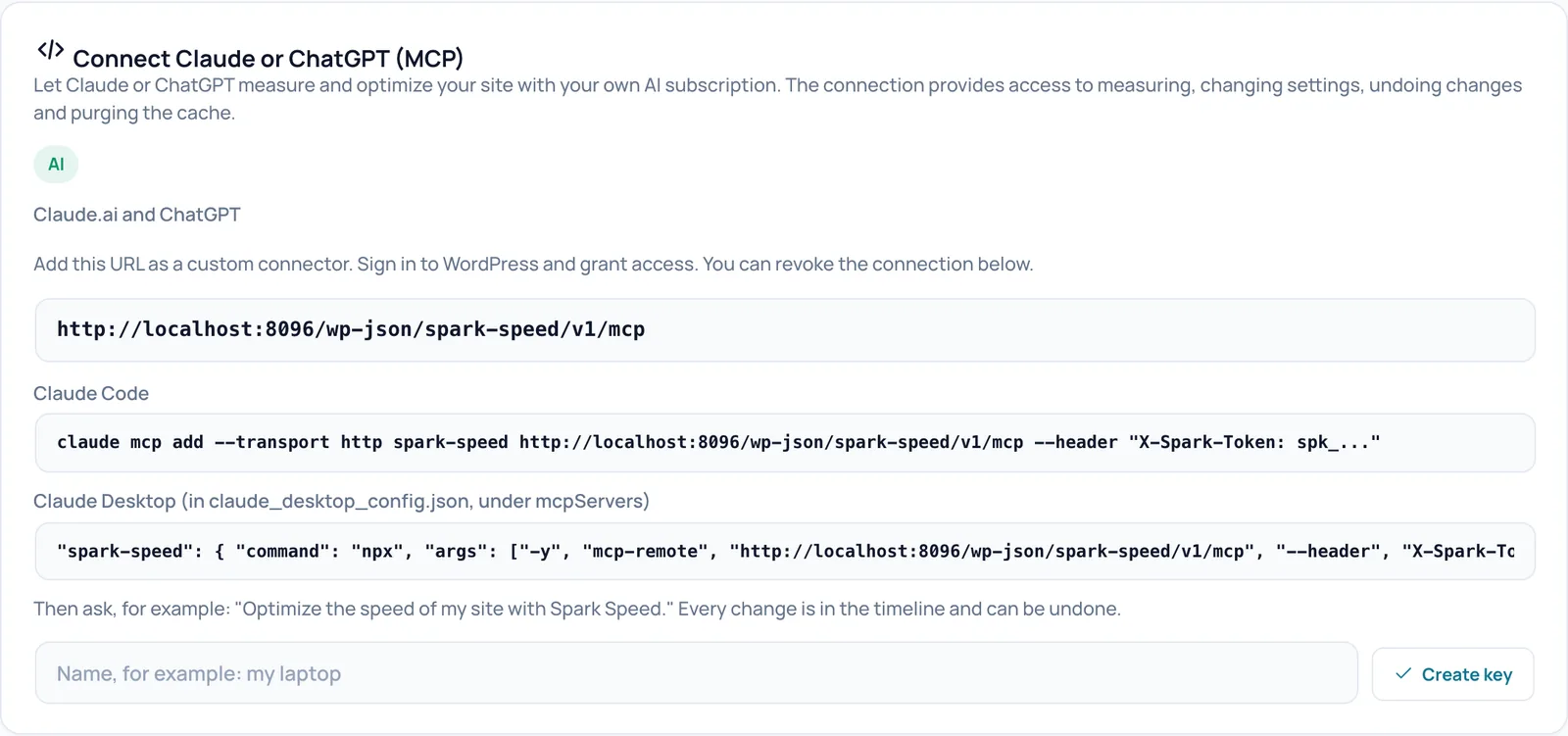
Creating and revoking a key
A client connects with its own key starting with spk_, as a Bearer token. With WP-CLI you create one like this: wp spark-speed mcp token create --label="name". The command refuses to show the key in a terminal; send the output straight to your password vault or secret store. wp spark-speed mcp token list shows the keys (id and label, never the secret) and wp spark-speed mcp token revoke revokes one. Never put a key in a ticket, email or screenshot.
What the assistant can do
On the test site the server identified itself as Spark Speed 0.73.2 with thirteen tools. The server itself gives the assistant the way of working: first fetch the guide and the site overview, measure first, and at most one risky switch per change.
- Look: get_optimization_guide, get_site_overview, get_diagnostics, get_config, get_site_findings, get_warm_status, check_page
- Optimization: get_optimization_status and start_optimization
- Change and revert: apply_config, list_changes, revert_change
- Cache: purge_cache
Making a change safely
This is how it went on the test site:
- apply_config with dry_run: Spark Speed replied with what would change (from off to on) without saving anything.
- apply_config without dry_run, with a required reason. The reply gave a change_id, what changed, what was rejected and as next step: check with check_page.
- list_changes showed the change with id, user, reason and keys, and in the timeline as made by ai-mcp.
- revert_change with the change_id restored the old value. If a key was changed by someone else since, Spark Speed leaves it alone and says so.
Note: revert_change only reverts changes made through MCP. For other changes, use the routes in Troubleshooting.
Starting an optimization round
start_optimization requires an explicit confirmation (confirm: true). The round then runs, but the browser check of risky changes runs in the open Spark Speed dashboard. The server says so itself: open the dashboard for measurements, verification and the outcome; a round that is no longer active is not proof of a successful optimization. So open the Spark Speed Overview (the address the server returns as dashboard_url) in a browser until the round is finished; on another Spark Speed tab the check does not run. Then check the site yourself.
Privacy and responsibility
If you connect an external AI service, that service sees the data the assistant requests, such as your configuration and diagnosis. Create a separate key per client or per person, so you can revoke one without affecting the rest, and revoke keys you no longer use.
Unsure about a step? Revert, check your site and ask us through the contact page.
No Spark Speed yet? See what it does and what it costs.
Frequently asked questions
No. Everything can be done from the dashboard. MCP is useful if you manage many sites and want to review and adjust them from an AI assistant.
No. Changes go through the same settings gate as the dashboard, need a reason, and at most one risky switch is allowed per change.
Looking, changing and reverting do. The browser check of an optimization round needs an open dashboard.